
Touch Screen Laptops: Factors To Consider For Performance, Display, And Battery Life

Balancing Performance, Display Quality, and Battery Life in Decision Frameworks
Selecting a touch screen laptop often requires balancing competing priorities rather than maximizing a single attribute. A practical framework begins by identifying primary use cases—such as note-taking with an active pen, multimedia consumption, or content creation—and mapping those to performance, display, and battery trade-offs. For example, users prioritizing portability and long runtimes may accept lower sustained CPU throughput in exchange for a lighter chassis and higher-capacity battery, while those needing sustained rendering performance may tolerate reduced mobility for improved cooling and discrete graphics options. Contextualizing needs reduces emphasis on absolute specifications.
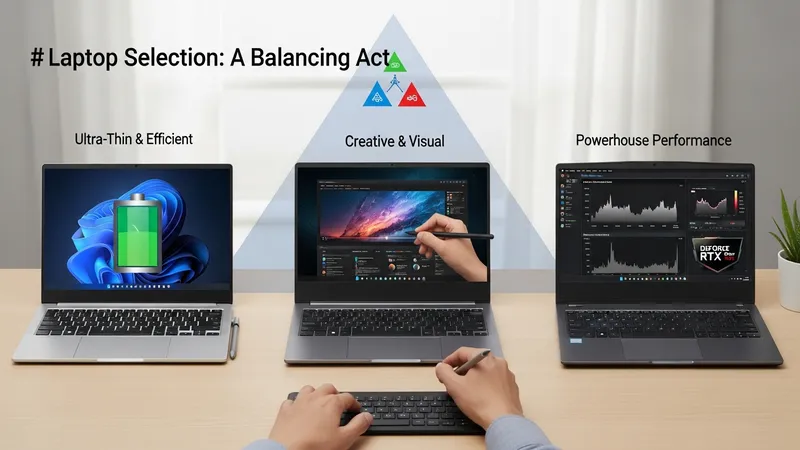
Comparative assessment can include representative workload tests and real-world scenarios relevant to the intended use. Measuring responsiveness during typical tasks, observing display readability in common lighting conditions, and timing battery drain under defined workloads provide data that can be compared across models. Manufacturer specifications such as TDP, Wh rating, panel type, and presence of an active digitizer form useful inputs but may require interpretation relative to chassis design and thermal implementation. Considering driver and firmware support for touch and stylus features can clarify usability expectations.
Long-term considerations include software update policies, repairability, and battery longevity. Systems with modular storage or easy access to service points may simplify maintenance and potential component upgrades, whereas sealed designs often prioritize thinness. Firmware updates can affect power management and touch responsiveness over time, so reviewing vendor support practices may be relevant for users who expect to keep a device for multiple years. Observing how similar models from the same manufacturer have fared in independent reviews can offer context without implying absolute recommendations.
Overall, evaluating touch screen laptops through the lens of interacting factors—processor and thermal design, display technology and its power implications, and battery capacity with management strategies—can clarify realistic expectations. A balanced assessment anchored to specific use cases typically yields a clearer understanding of which compromises are acceptable. For readers wanting deeper technical detail on each component, the earlier sections provide focused discussion on processors, displays, and battery behaviors that may support more granular comparisons.