
AI Learning Devices: How Artificial Intelligence Enhances Educational Tools

User Interface and Accessibility in AI Learning Devices
The user interface (UI) of AI learning devices is typically designed for accessibility and ease of navigation. Intuitive layouts, clear instructions, and responsive design help ensure that students of varying abilities can engage with the material. Color schemes, icons, and audio cues are often incorporated to assist users with different learning preferences and to provide alternative ways to access information.
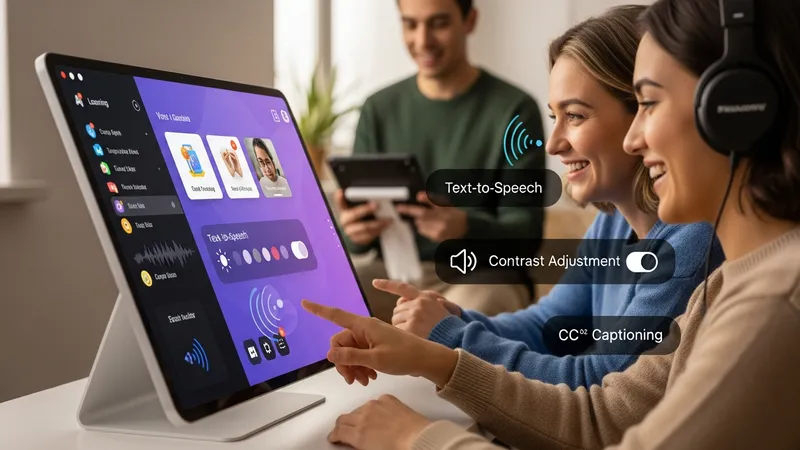
Many adaptive educational platforms integrate features to accommodate users with special learning needs. For example, text-to-speech functions assist learners with reading difficulties, while contrast adjustments and captioning make content more accessible to individuals with visual or hearing impairments. Such accessibility enhancements are routinely updated to align with widely recognized standards, such as the Web Content Accessibility Guidelines (WCAG).
Navigation within AI learning devices generally involves modular menus, progress trackers, and dashboards showing completed activities. These interface features allow learners to identify areas where they may need additional practice, and enable educators to monitor overall progress efficiently. A clear and uncluttered interface may also support increased focus and reduced cognitive load, which can enhance the learning experience.
AI learning devices in the United States frequently offer versions in multiple languages to support learners from diverse backgrounds. Multilingual capabilities, adjustable font sizes, and adaptive feedback are common UI elements that promote inclusive participation. By monitoring engagement metrics, platforms can further assess whether their interface designs are effective or may require iterative improvements to meet evolving user needs.