
Windows Workflow Automation: Streamlining Routine Tasks And Processes

Integration and system administration considerations for Windows automation
Automation often needs to integrate with other systems such as databases, web APIs, file shares, and identity services. PowerShell and command-line utilities commonly provide connectors and modules for these integrations, while graphical flow tools may offer prebuilt connectors. Network considerations—such as firewall rules, service endpoints, and VPN access—can affect the ability of automation to reach required resources. Planning for retries, timeouts, and error codes from external systems typically improves resilience when integrations experience transient failures.
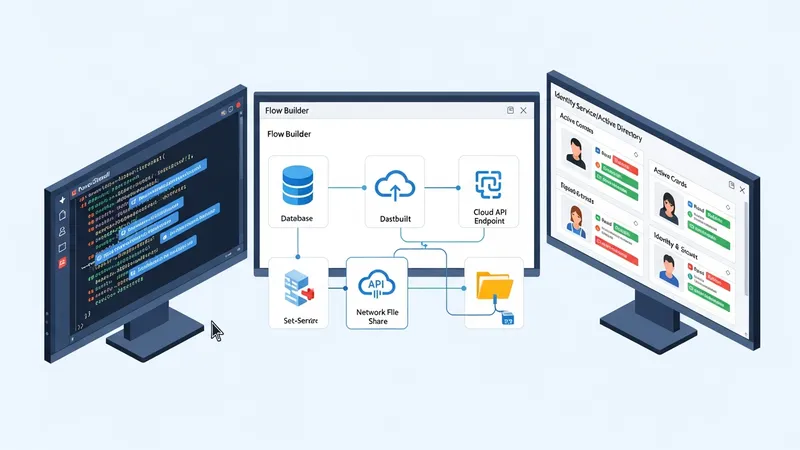
Administrative considerations include account management, permission scoping, and credential handling. Service or managed accounts used by automation should follow the principle of least privilege and be restricted to the minimal resources needed. Where automations require elevated privileges, containment strategies like running specific actions under separate contexts or using just-in-time elevation mechanisms can limit exposure. Centralized credential stores or secret management systems are often used to avoid embedding credentials in scripts or configuration files.
Scale and distribution patterns vary by organization. Small deployments may run flows on a single workstation or server, while larger environments may use centralized orchestration platforms or distribute tasks across multiple agents. Remote execution tools (for example WinRM-based management, scheduled task distribution, or agent-based systems) can help automate across many endpoints. Administrators often monitor resource utilization and schedule heavy workloads during maintenance windows to reduce impact on interactive users.
Deployment and change control commonly rely on packaging scripts, using version control tags, and maintaining deployment pipelines that validate integrity and dependencies before production rollout. Documentation that captures operational runbooks, expected inputs and outputs, and rollback procedures assists administrators in diagnosing failures. Regular reviews of automation coverage and periodic audits of which flows remain necessary also help manage technical debt introduced by long-running, unattended automations.